Installation Instructions
Copy the contents of the /Command/SFC Demo folder on the CD-ROM to a folder on your machine. You will need about 50 megs of free space.
Requirements
You need DirectX 6.0 or later and a Direct3D compatible 3d hardware card.
(DirectX 6.1 is available in the DirectX folder on the root of the CD-ROM.)
We require at least 32 megs of RAM and prefer 64 megs.
A PentiumII - 200 mhz is the minimum system. At this time, we recommend a P2-300 or P2-350 for improved performance.
Quick Start Instructions
Double-click on Star Fleet Command.exe icon in the installed folder on your hard drive.
Select a race. Currently available are: Federation, Klingon, Romulan and Lyran. |
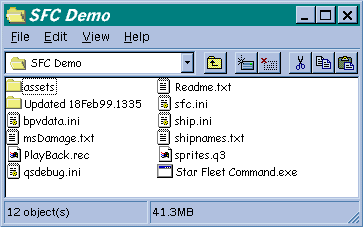
The demo is available on the CD-ROM under the Command folder. |
Small Race Note
Gorn
and Hydran are not available in this version. The final race selections are subject to change.
End
the Small Race Note Click
on Skirmish.
Choose a ship. If this is your first time, we suggest the Dreadnought hulls since they have lots of hull and can take a good amount of damage. Select a variation and click DONE.
Fly around by left-clicking to change heading and using the A and S keys (or the speed bar on the interface).
CTRL-Left Click to create an AI enemy.
CTRL-Shift-Left Click to create an AI ally.
Right-click on a ship or ship ID to target.
Press the Z key to fire!
Campaign Missions
Only a few campaign missions have been included.
Select START CAMPAIGN.
Select NEW MISSION.
Press F8 to toggle between the available missions and click DONE when ready to start the mission.
|
|